
Loaded. Logged.
Carnet is a training log for a powerlifting coach and their athletes. You write 3*5@7 the way you write it now. The athlete loads the bar and taps the set. It is on your desk the same evening, with the RPE and the note.
Opens an email to me. Invitation only; I reply with an account.
I'm Cristi. I lift, and this is how my coach's sheet kept a ramp. My own training back to 2022 is in Carnet. A squat ramp of three singles. The bar is loaded to 190 kg, then 200, then 205. My coach's sheet kept a ramp as one cell, 190, 200, 205, with RPE blank. Carnet keeps three rows: set 1, 190 kg, one rep at RPE 7; set 2, 200 kg, one rep at RPE 8; set 3, 205 kg, one rep at RPE 9, with the athlete's note: top single felt heavy, more like a 9.5.
Next week, as written.
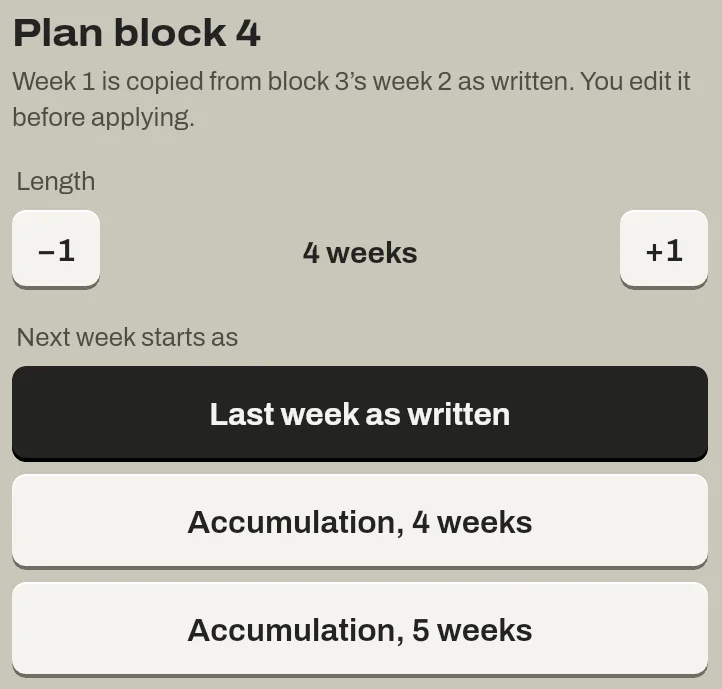
Next week starts as a copy of this week, as written: the same sets, reps, RPE and kilos. You change what you want and apply it.
Or put the athlete on a ramp: sets and RPE step up each week, and loads start from what was logged. A block runs 1 to 16 weeks and can be lengthened a week at a time.
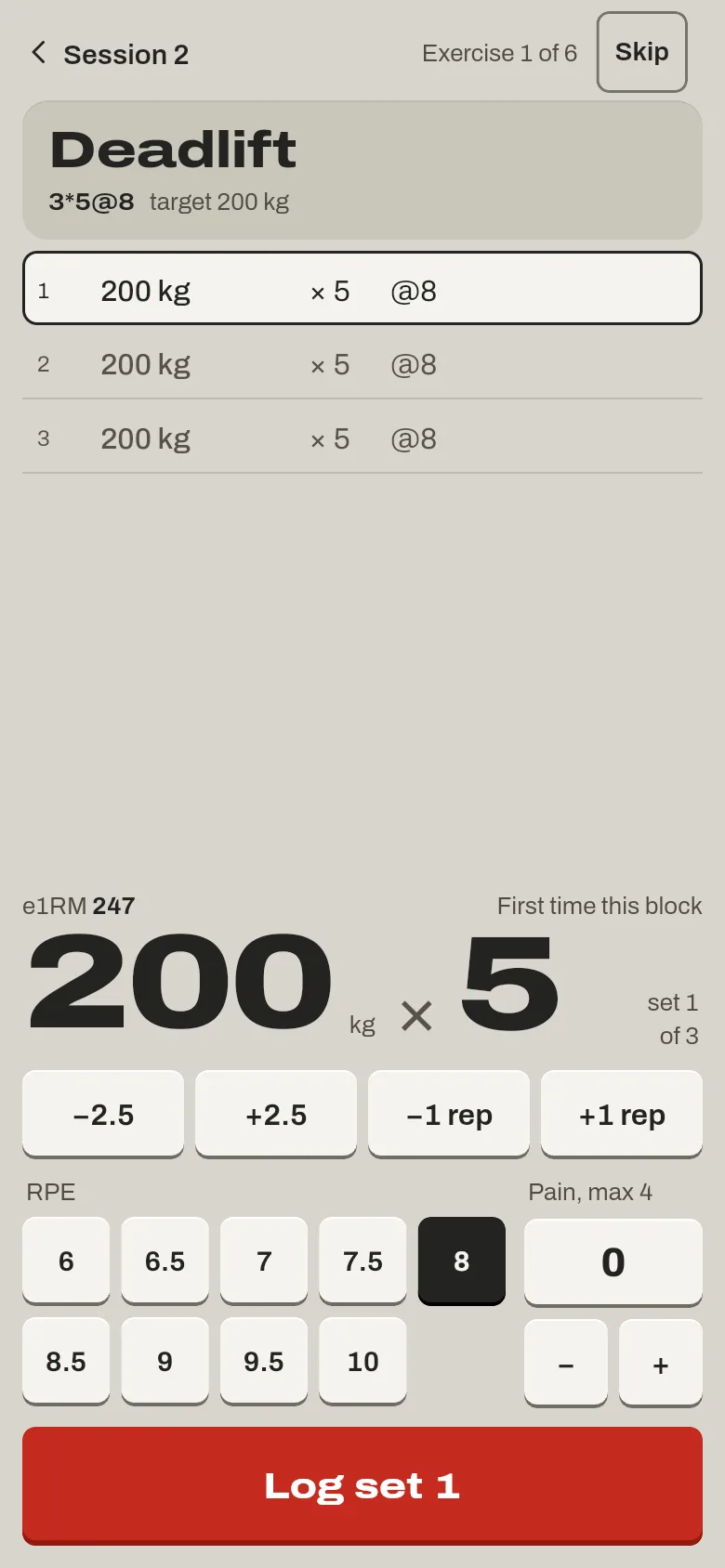
Your notation, their keys.
3*5@7 on your sheet is three rows on the phone, one per set, filled in from what you wrote. The athlete moves the weight, reps or RPE if the set went differently, gives it a pain score, and logs it.
No signal in the gym is fine: sets are kept on the phone and sent when it is back.
You choose per athlete: every set logged, or key sets only, where one tap marks the rest done as written.
Same evening, on your desk.
Every session is in the review that evening: weight, reps, RPE, pain and rest per set, the check-in, and what was done as written. A set's pain above 4, or pain that rose after the session, shows in red.
The athlete can correct a set while the block runs. A reviewed session then comes back to your reviews, with the set as first logged beside it.

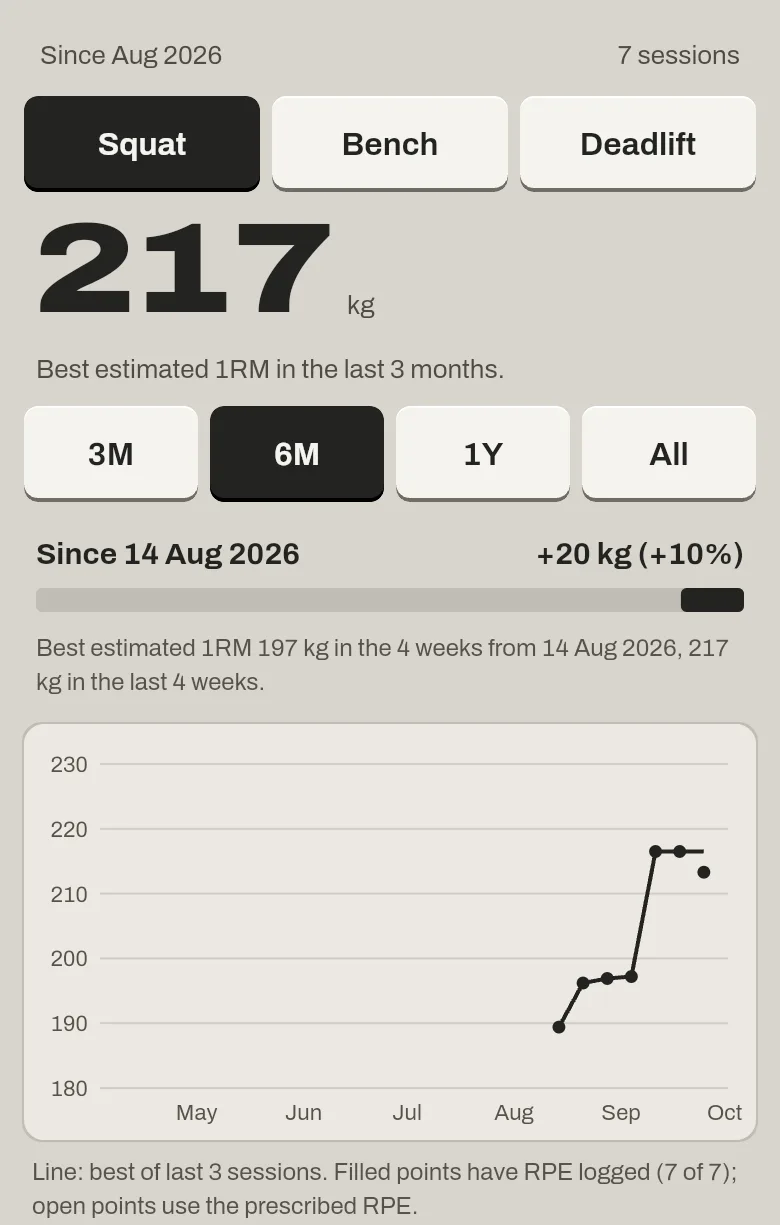
Progress, over months.
Every set with a weight, reps and RPE feeds an estimated 1RM. Per lift, the athlete sees the best of the last three sessions over three months, six, a year or all of it, and the heaviest set at @8 in each block. When a lift has been stuck across blocks, the screen says so.
On your desk, the athletes table shows each one's e1RM over the last six months.
Questions
- Do my sheets come over?
- I bring your sheet history in for you. And any block exports as a CSV laid out like a training sheet, so you can always leave.
- What does it cost?
- Free while it is invitation only.
- How many athletes?
- No set limit.
Invitation only.
I make the coach's account. The coach invites their athletes from inside the app, on iPhone through TestFlight or on the web. The data is sets, RPE, pain and notes, in a database in the EU, read by the athlete and their coach.
Or write to carnet@carnet.coach with the subject "Carnet invite".